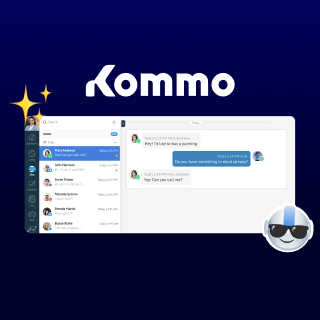
The KOMPaaS integration connects your Virtual PBX directly to Kommo. Make calls with a single click, instantly see a customer's file the moment they call, and automatically capture every lead across all your sales channels, without leaving Kommo. Whether your team handles high volumes of inbound calls or runs proactive outreach campaigns, KOMPaaS and Kommo keep every interaction organized and accounted for.
Get more out of every call and conversation with this integration:
-
One-click calling: Dial any contact directly from their Kommo lead card, no copy-pasting numbers, no switching tabs.
-
Instant customer context on inbound calls: When a customer calls, their Kommo file pops up automatically so your team knows exactly who's calling and which deal is in play before they even say hello.
-
Automatic lead capture: Every inbound request, regardless of channel, is detected and fed directly into your Kommo sales pipeline as a new lead, with no manual input required.
-
Missed call tasks: Set up the integration to automatically create a follow-up task in Kommo whenever a call is missed, so no opportunity slips through the cracks.
-
Call transcription & speech analytics: Enable call transcription and speech analytics to get a written record of every conversation and surface insights directly inside the lead profile in Kommo.
-
Smart call routing: Automatically assign incoming calls to the right manager and link them to the correct deal, keeping your pipeline clean and your team aligned.
-
Full call history on the lead card: Every call is logged with direction, duration, and recording, giving your team the full chronology of a customer relationship at a glance.
Kommo users love this integration because it eliminates the back-and-forth between their phone system and Kommo. Instead of juggling two separate tools, everything lives in one place: calls, recordings, lead assignments, and follow-up tasks. Teams work faster, miss fewer leads, and walk into every conversation already knowing the full context, which means better service and more won sales.
To connect KOMPaaS with Kommo, follow these steps:
-
In your KOMPaaS account, go to Integrations > Marketplace and click on the Kommo block.
-
Click Create Integration, then click Create.
-
You'll be redirected to Kommo's authorization page >Grant access to Virtual PBX by KOMPaaS V2 in Kommo.
-
Return to Integrations > Marketplace, click the Kommo block again, and open settings via the three-dot menu.
- Configure your integration settings: assign a title, select your Virtual PBX, choose phone numbers, set lead creation rules, and map internal numbers to Kommo users.
- Save your settings.
That's it! Your calls will now sync automatically with Kommo, leads will be captured across every channel, and your team will have full customer context on every call. 🤩