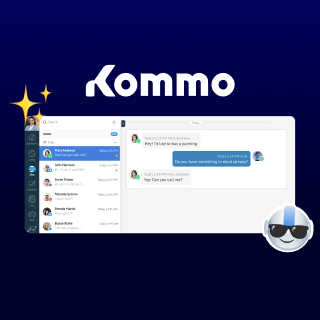
A WhatsApp AI agent is an AI-powered system that automatically handles customer conversations on WhatsApp, qualifies leads, answers questions, and drives sales around the clock without human intervention. Unlike a basic chatbot, it understands natural language, context, and client intent.
In this article, we'll cover what it is, why it matters, and how to use it to make more sales.
Let’s get to it! ☺️
What is a WhatsApp AI agent?
A WhatsApp AI agent is an automated assistant that runs within WhatsApp and engages in intelligent conversations on behalf of your business. It can greet leads, ask qualifying questions, send product information, schedule appointments, and hand conversations off to a human rep, without anyone on your team lifting a finger.
A WhatsApp AI agent is trained on your products, pricing, and policies. It understands context, qualifies prospects, and automatically moves deals through your pipeline. When a prospect messages at 11 p.m., the agent responds instantly, qualifies them, and has everything ready for your rep by morning. It doesn't automate messages; it automates outcomes.
📌 Remember: The keyword is agent: a system that understands intent, adapts to what your client is saying, and takes action based on context.
Which businesses benefit from a WhatsApp AI agent?
Any business that uses WhatsApp as a primary communication channel and receives more inbound messages than its team can handle in real time. So most small and mid-sized businesses in e-commerce, real estate, education, financial services, and professional services.
A variety of businesses that benefit from a WhatsApp AI agent.
💡 New to AI agents? Read our article What are AI agents and how they're changing the way businesses sell.
Why a WhatsApp AI agent matters for your business
The case for a WhatsApp AI agent isn't just about efficiency. It's about what becomes possible when your business can respond to every lead instantly, at any hour, without adding headcount.
Key benefits of WhatsApp AI agents.
Here’s what you unlock with a WhatsApp AI agent:
-
24/7 availability: With an AI agent handling incoming conversations around the clock, leads receive immediate attention whether they reach out during business hours, late at night, or over the weekend.
-
Faster response times: Responding quickly is one of the most important factors in lead conversion, and AI-powered conversations help ensure prospects receive answers the moment they engage.
-
Consistent quality: Every interaction follows the same standards, providing accurate information, a consistent tone, and reliable follow-ups across all customer conversations.
-
Lead qualification at scale: By asking relevant questions and gathering key information early, AI helps identify high-intent prospects before they are handed over to the sales team.
-
Reduced manual workload: Sales representatives can spend less time answering routine inquiries and more time focusing on qualified opportunities and closing deals.
-
WhatsApp marketing automation: Campaigns, re-engagement messages, and follow-up sequences can be automated, helping businesses stay connected with leads and customers without increasing manual effort.
💡 Want to know how Kommo connects to WhatsApp? Read our complete guide to WhatsApp Cloud API and how it powers business messaging at scale.
How a WhatsApp AI agent works
Here's how a typical AI agent for WhatsApp handles a lead from first contact to sales handoff:
-
Lead initiates contact: A prospect sends a message via WhatsApp from an ad, a QR code, a website link, or organically.
-
The AI agent greets and qualifies: It responds instantly, collects the lead's name, understands their need, and asks qualifying questions (budget, timeline, product interest, etc.).
-
Data is captured and structured: Information from the conversation is automatically logged, contact details, lead stage, and a conversation summary.
-
The lead is routed or advanced: Depending on the qualification outcome, the AI agent either continues the conversation, books a meeting, sends a product recommendation, or escalates to a human rep.
-
Follow-up is automated: If the lead doesn't respond, the agent sends a follow-up at a set interval. No manual nudging required.
-
The rep takes over only when needed: Sales reps receive warm, qualified leads with full conversation context already available.
How a WhatsApp AI agent works.
WhatsApp AI agent tools: how the market looks
The market for WhatsApp Business AI tools has grown significantly, and several platforms now offer AI agent or WhatsApp AI chatbot functionality for WhatsApp.
Here's how the main players compare:
Platform
WhatsApp AI capabilities
CRM integration
Best for
Kommo CRM
Native AI agent, no-code AI agent builder, multiple agents, AI booking
Fully native, pipeline, contacts, and AI live inside Kommo.
SMBs that sell through WhatsApp and want AI, omnichannel inbox, and automation in one place, no extra tools needed.
Respond.io
AI agent with intent detection, lead enrichment
Not a CRM. Syncs with HubSpot, Salesforce, and Zoho via native connectors; pipeline stays in those external tools.
Organizations looking to centralize customer support interactions.
WATI
Rule-based + basic WhatsApp AI agent with no code
Basic contact list, no real sales pipeline. Native connectors for HubSpot and Zoho; Salesforce requires higher-tier plans.
Small businesses that need simple WhatsApp automation without complex CRM needs.
Botpress
Advanced AI, Developer-dependent AI agent setup
No built-in CRM. All connections require custom API development or third-party middleware.
Specialized developer teams that need a fully custom AI conversation layer and have the technical resources to build and maintain it.
Platform
WhatsApp AI capabilities
CRM integration
Best for
Kommo CRM
Native AI agent, no-code AI agent builder, multiple agents, AI booking
Fully native, pipeline, contacts, and AI live inside Kommo.
SMBs that sell through WhatsApp and want AI, omnichannel inbox, and automation in one place, no extra tools needed.
Respond.io
AI agent with intent detection, lead enrichment
Not a CRM. Syncs with HubSpot, Salesforce, and Zoho via native connectors; pipeline stays in those external tools.
Organizations looking to centralize customer support interactions.
WATI
Rule-based + basic WhatsApp AI agent with no code
Basic contact list, no real sales pipeline. Native connectors for HubSpot and Zoho; Salesforce requires higher-tier plans.
Small businesses that need simple WhatsApp automation without complex CRM needs.
Botpress
Advanced AI, Developer-dependent AI agent setup
No built-in CRM. All connections require custom API development or third-party middleware.
Specialized developer teams that need a fully custom AI conversation layer and have the technical resources to build and maintain it.
Most of these tools do one thing well: they automate conversations. The gap becomes clear when you look at what happens after the conversation ends.
Tools like WATI or AiSensy can send messages and collect information, but they don't have a native sales pipeline; you're still managing leads separately, copying data between platforms, and losing context along the way.
Kommo is built differently. The WhatsApp AI agent and the CRM are the same product, which means every conversation automatically advances the sale.
WhatsApp AI agent + Kommo
Kommo integrates natively with WhatsApp Business via the official API. When a lead sends your business a WhatsApp message, from an ad, a QR code, a link on your website, or organically, it appears instantly in Kommo's unified inbox. A new lead card is created automatically in your pipeline, and the AI agent picks up the conversation from there.
Kommo’s WhatsApp AI agent.
Top features of the Kommo AI agent for WhatsApp
Kommo AI agent is built around six core capabilities that work together to handle the full lifecycle of a WhatsApp conversation, from the first hello to a qualified handoff.
1. Automate customer chats with WhatsApp AI
Handles greetings, follow-ups, and off-script messages naturally, no pre-programmed scenarios needed. Unlike a standard chatbot, it doesn't break when customers go off-script.
Conversational automation in Kommo.
2. Schedule appointments with an AI booking agent
Detects booking intent, checks availability, confirms appointments, and handles reschedules, all from a WhatsApp conversation. Every booking creates a task for the responsible rep. No back-and-forth, no admin overhead.
Calendar automation in Kommo with WhatsApp AI agent.
3. Qualify leads using a WhatsApp AI agent
Asks qualifying questions, filters out low-intent contacts, and automatically routes ready-to-buy prospects to a human rep.
Automatic lead qualification in Kommo.
4. Streamline e-commerce support inside WhatsApp
Kommo AI agent checks order status, sends tracking links, answers shipping questions, and suggests products, directly in WhatsApp, with no team involvement.
E-commerce support in Kommo
5. Escalate conversations from a WhatsApp AI agent to a human
In Kommo’s no-code AI agent builder, define when the WhatsApp AI agent hands off to a human, customize the handoff message, and optionally include a conversation summary for the rep.
Smart escalation in Kommo
6. Provide multilingual support with conversational AI
Deliver seamless multilingual support with Kommo’s AI agent, which instantly understands and replies in the customer’s language.
Multilingual support in Kommo
📍Note: Meta charges for template messages and messages sent during the 24-hour window after a client messages you. Kommo doesn’t charge any fees for using the WhatsApp Business integration.
Learn more in our Ultimate Guide to WhatsApp, or use our pricing calculator to estimate your messaging costs.
How to set up your WhatsApp AI agent in Kommo
Setting up the Kommo AI agent requires no coding and no technical expertise. The builder works around a simple four-block structure: Sources, Actions, Persona, and Integrations.
-
Connect WhatsApp Business to Kommo: Go to Settings → Integrations → WhatsApp Business. Connect your WhatsApp Business number using the official Meta API.
-
Create your AI agent: Go to AI agents on the left-hand menu → click “Add agent.”
-
Generate your AI agent automatically: Let Kommo create an AI agent using your website URL or business information.
-
Review your AI agent: Test the generated AI agent, make any necessary adjustments, and click Create AI agent.
-
Or set up your AI agent manually. If you prefer to build it from scratch, choose Start from scratch and setup.
-
Add your Sources. In the Sources tab, upload the content the agent will use to answer questions, product pages, FAQs, pricing docs, or policy files.
-
Define your actions: In the Actions tab, set up simple When → Do conditions and actions that guide your AI agent's behavior.
-
Configure the persona: In the Persona tab, define your AI agent's name, tone, response length, language, delay of response, and guidelines so every message sounds like your brand.
-
Activate: Once you're satisfied with the setup, click Turn on AI agent, and your WhatsApp AI agent is live!
With Kommo, your WhatsApp workflow becomes fully automated, from first message to follow-up. Kommo AI agent handles the heavy lifting, so your team only steps in when it matters most.
The bottom line
A WhatsApp AI agent isn't just automation for the sake of it. It's a way to ensure every lead gets a fast, intelligent, personalized response, and that your sales team spends time only on conversations that are genuinely worth their attention.
Most tools on the market automate the messaging part but leave you to figure out the rest. Kommo connects the conversation directly to the pipeline, the AI agent to the Copilot, the WhatsApp inbox to the deal card, so nothing falls through the cracks and nothing needs to be done twice.
⚡ Ready to turn your WhatsApp conversations into revenue?
Stop losing leads to slow replies and manual follow-ups. With a WhatsApp AI agent, every message is answered instantly, every lead is qualified automatically, and every conversation moves your pipeline forward.
Start building your AI-powered WhatsApp workflow today with Kommo — no coding required, no delays, no missed opportunities.
Try Kommo free and see how fast your chats can start converting.